
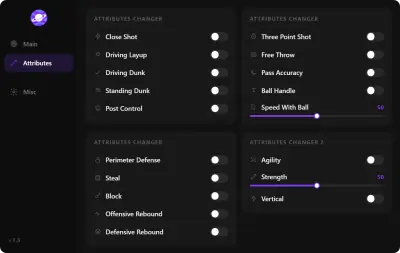
NBA 2K27 Cheat Menu Features: How to Read the Claims
Learn how to compare NBA 2K27 cheat-menu claims without assuming that a feature list applies to every plan or platform.
Search results for “NBA 2K27 cheat menu” often show long feature lists. Those lists can be useful for vocabulary, but they are not interchangeable. A menu may be described as an overlay, a loader, a panel, or a configuration screen; each label can mean something different on a different listing.
Start with the feature category
Sort the terms into categories before judging a product. Shooting terms concern releases or timing. Player-edit terms concern attributes, badges, animations, or unlocks. Visibility terms may be marketed as ESP or court awareness. A page that puts all of them together still needs to say which are included in the exact plan being offered.
A practical reading checklist
- Look for a current NBA 2K27 date or version note.
- Check whether the page names PC, console, or neither.
- Identify included features versus examples or future requests.
- Read the limitations and update language before the purchase button.
- Use the support route when a feature is described only in a screenshot.
Do not turn marketing words into guarantees
Words such as “full,” “all,” “private,” or “premium” are marketing labels unless the product page defines them. They do not establish coverage for a particular mode, build, account, patch, or future update.